From a walk to a bid, step by step
The five steps on the Story page in more detail, then the five steps the app takes to turn a walk’s data into quantities.
The workflow
From the field to the bid
- 01
Capture
Walk the lot once with the handheld scanner. It records lidar, camera and centimeter GPS together.
Unitree L2 lidar · ELP AR0234 camera · Jetson Orin Nano Super · Unicore UM980 and UM982 RTK
- A base on a tripod sends GPS corrections over a 915 MHz radio to the rover on the rig.
- Hold still 10–20 s in the dock, walk the lot, come back and hold still again.
- The 5-inch screen shows a live map and the GPS fix while it records.
- Each walk is saved as a ROS 2 bag with its camera calibration and GPS log.
- 02
Process
The app stitches the walk into one 3D scan, and its AI picks out the pavement, paint, curbs and symbols.
Pavement Pro for Windows · FAST-LIO · SAM 3
- One command pulls the walk off the rig over Wi-Fi.
- It runs on the estimator’s own machine, not in the cloud.
- On three real lots, each walk closed to within 0.7–3.8 cm of its start once pinned to the GPS.
- The steps inside are the data pipeline, below.
- 03
Verify
The estimator checks what was found in 2D and 3D, and fixes or adds anything missed.
Plan view · 3D views: LiDAR, LiDAR + camera, Mesh
- Every item sits in a takeoff list by bid item, laid out like the Bluebeam markups estimators already use.
- Slope, point density and height spread show where the scan is thin or the ground uneven.
- Patching, potholes and crack sealing are drawn by hand for now.
- 04
Export
The quantities come out as a spreadsheet: square feet, linear feet and counts, by bid item.
CSV
- Sealcoat in SF.
- Striping in LF and SF, by line width.
- Stalls counted by length; symbols by type.
- Paving and patching in SF.
- 05
Price
PlannedThe contractor’s own rates turn the quantities into the bid.
The contractor’s unit rates
- Today the CSV is priced in the estimator’s own spreadsheet or bid software.
- Next: rates by bid item in the app, and a priced bid PDF with a repair plan.
The data pipeline
Inside Process and Verify: from a walk’s files to quantities
- 01
Upload
Bring the walk into the app and make it one cloud, pinned to the GPS.
A ROS 2 bag from the rig, or LAS and LAZ from any scanner
- Every file is checked against the rig’s SHA-256 checksums, and the capture’s health is reported.
- The SLAM path is fitted to the RTK fixes, finding the clock offset and heading, and the cloud is leveled.
- Returns past a 6–8 m range limit are dropped, where the lidar’s noise grows.
- 02
Color
Paint every lidar point with the color the camera saw there.
The calibrated camera · its measured position on the rig · a 0.6 s frame lag
- Each point is projected into the camera frames that saw it and takes their color.
- The lens, the camera’s position against the lidar and the frame timing were each measured on the rig first.
- On real lots, 91–96% of points are seen, by about 11 frames each; the rest stay an exact gray.
- 03
Segment
SAM 3 labels the camera images, and the labels are laid over the scan.
SAM 3, fine-tuned on GeoSynth’s simulated lots (examples)
- SAM 3 masks every frame, plus a top view of the whole lot: pavement, lines, curbs, symbols, cars and trees.
- The masks are voted onto the lidar points and checked by geometry: paint lies on the ground, poles stand up.
- Geometry tidies the result, straightening stall lines to 4 in, and it lies over the scan as a 3D mesh, one object a class.
- 04
Edit
Turn the labels into takeoff items, then fix what is wrong or missing.
Find features · the plan view and 3D scene
- Find features measures paved area, lines by width, stall lines by length, symbols and hatching, inside a site boundary.
- Add all puts them in the takeoff, each one listed by bid item to click and inspect.
- The estimator fixes what is wrong and draws what was missed, on the plan or in 3D.
- 05
Export
Write the bid quantities out as a spreadsheet.
CSV
- The Bid tab sums the takeoff by bid item, in SF, LF and EA.
- Export writes that table as a CSV.
The simulated lots SAM 3 learns from
Three camera frames from parking lots built by GeoSynth, each beside its training mask.
GeoSynth builds parking lots in 3D, then renders them in Blender through a simulated copy of the scanner’s camera, with its lens, exposure, noise and JPEG, so the images look like what the rig records. All three lots are simulated; none is a real place.
The masks are the exact labels SAM 3 is fine-tuned on, not a model’s predictions. They come from the 3D scene itself, so every pixel is labeled for free, in 31 classes: 26 for the scene, such as pavement, lines, curbs, symbols, cars, trees and buildings, and 5 for the pavement’s condition: cracks, sealed cracks, alligator cracking, potholes and patches. The cracks are projected from each lot’s aging map through the frame’s depth and camera position. Black is unlabeled: the sky and anything far off.
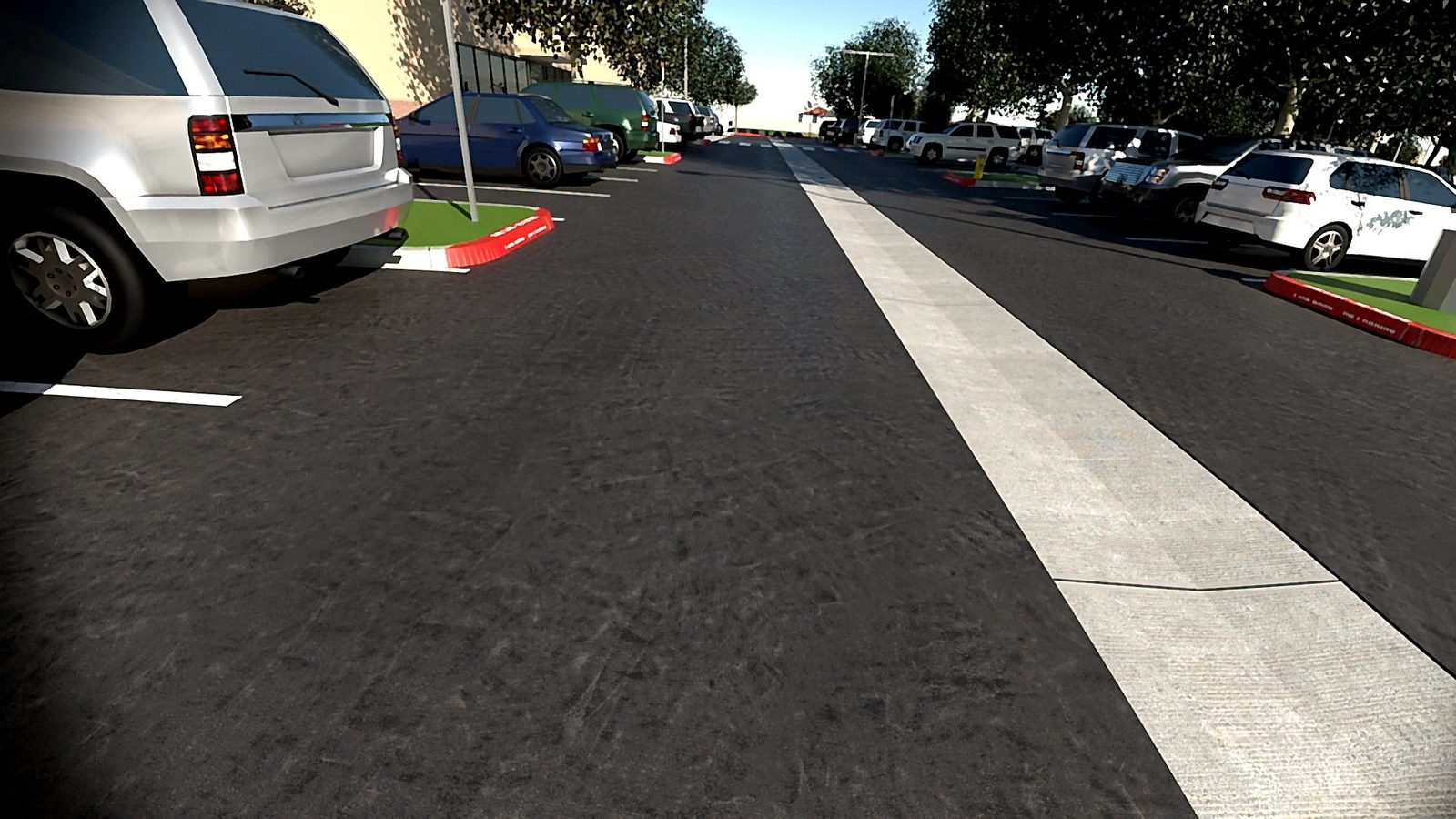
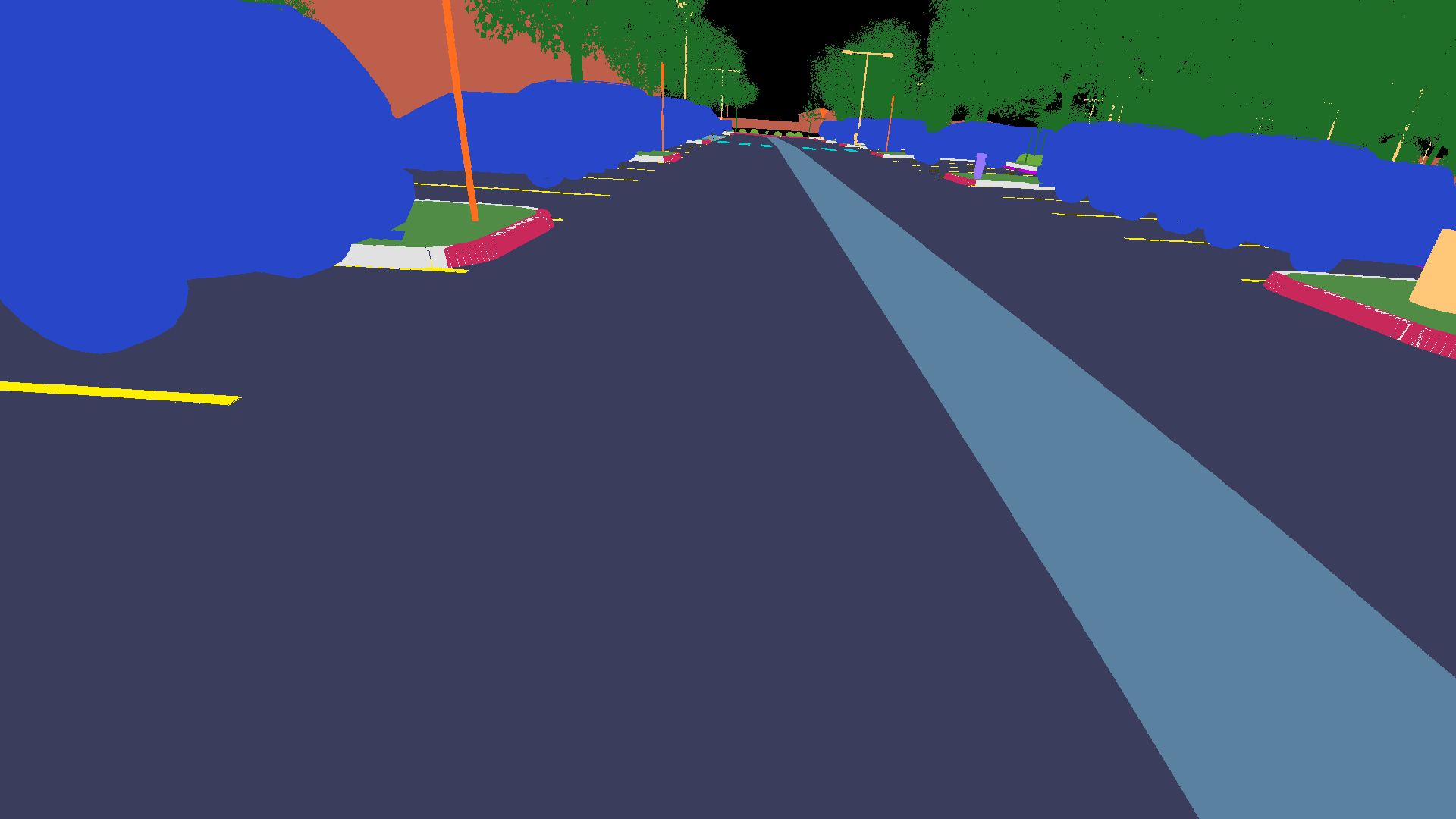
A driving aisle with parked cars, a concrete valley gutter, red curbs and trees. Lot 73015: a large lot of angled stalls, designed as if built in 1972.
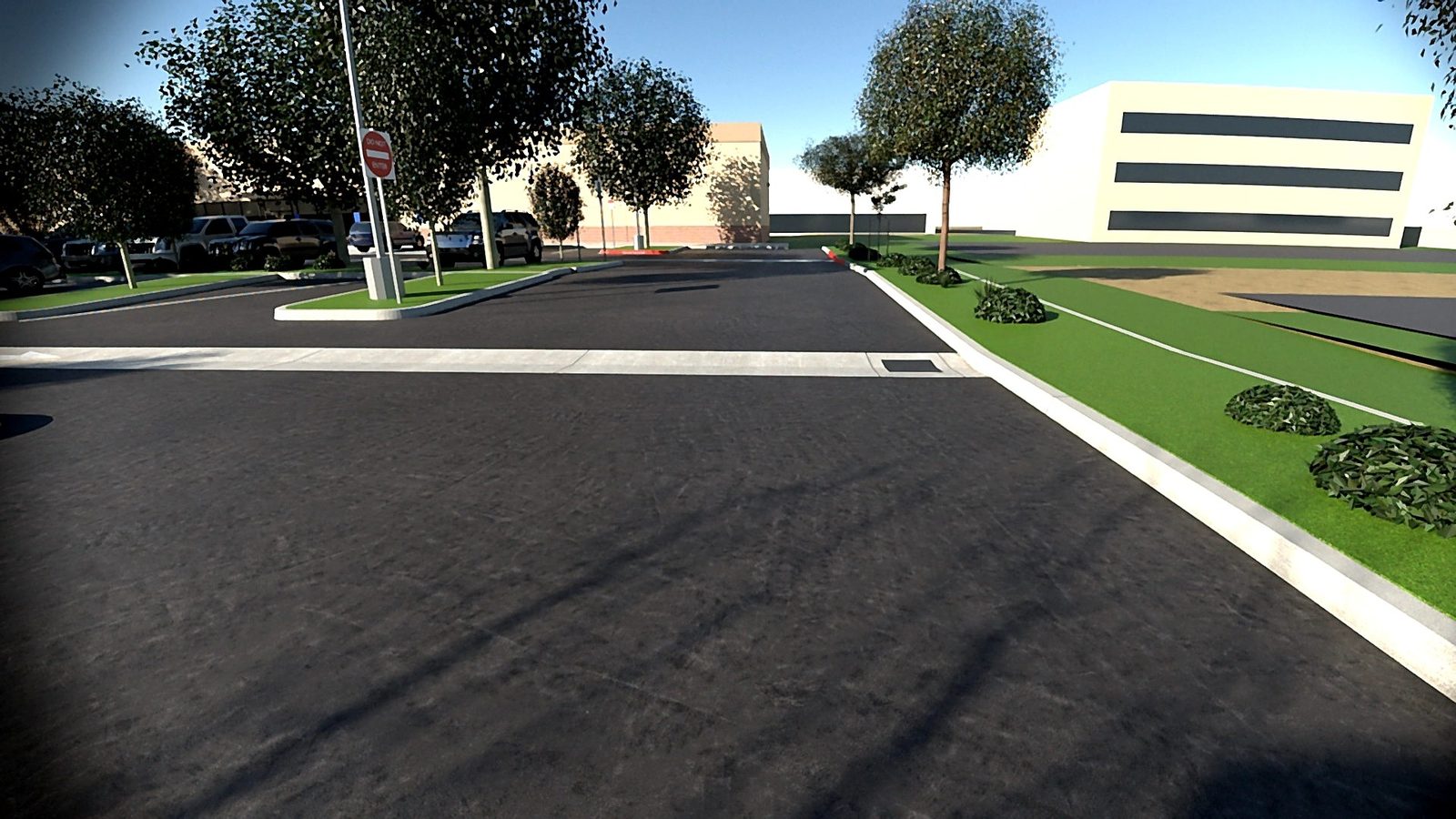
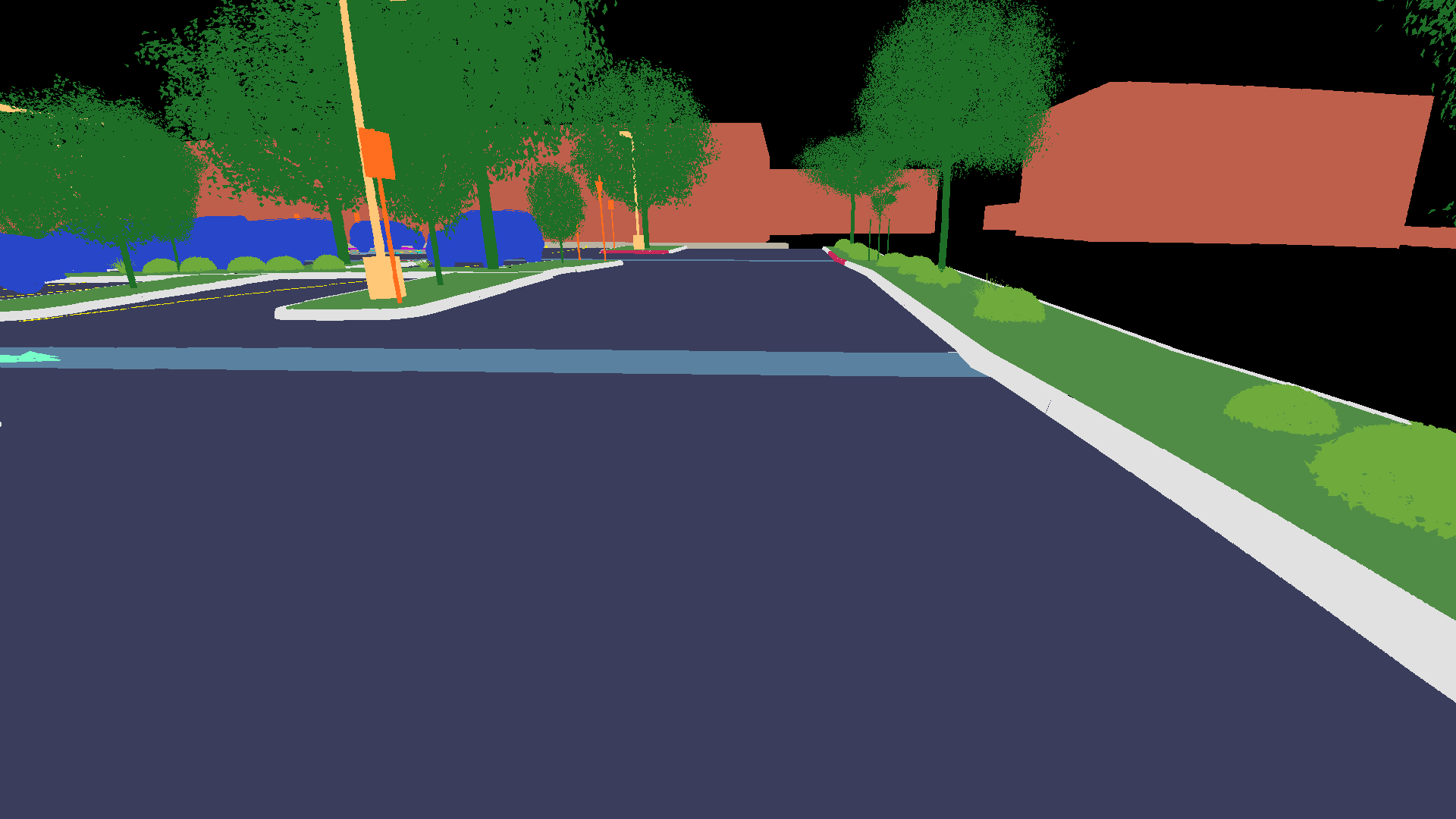
An aisle by an office building, with curbs, landscaping, shrubs, trees and signs. Another frame of the same lot.
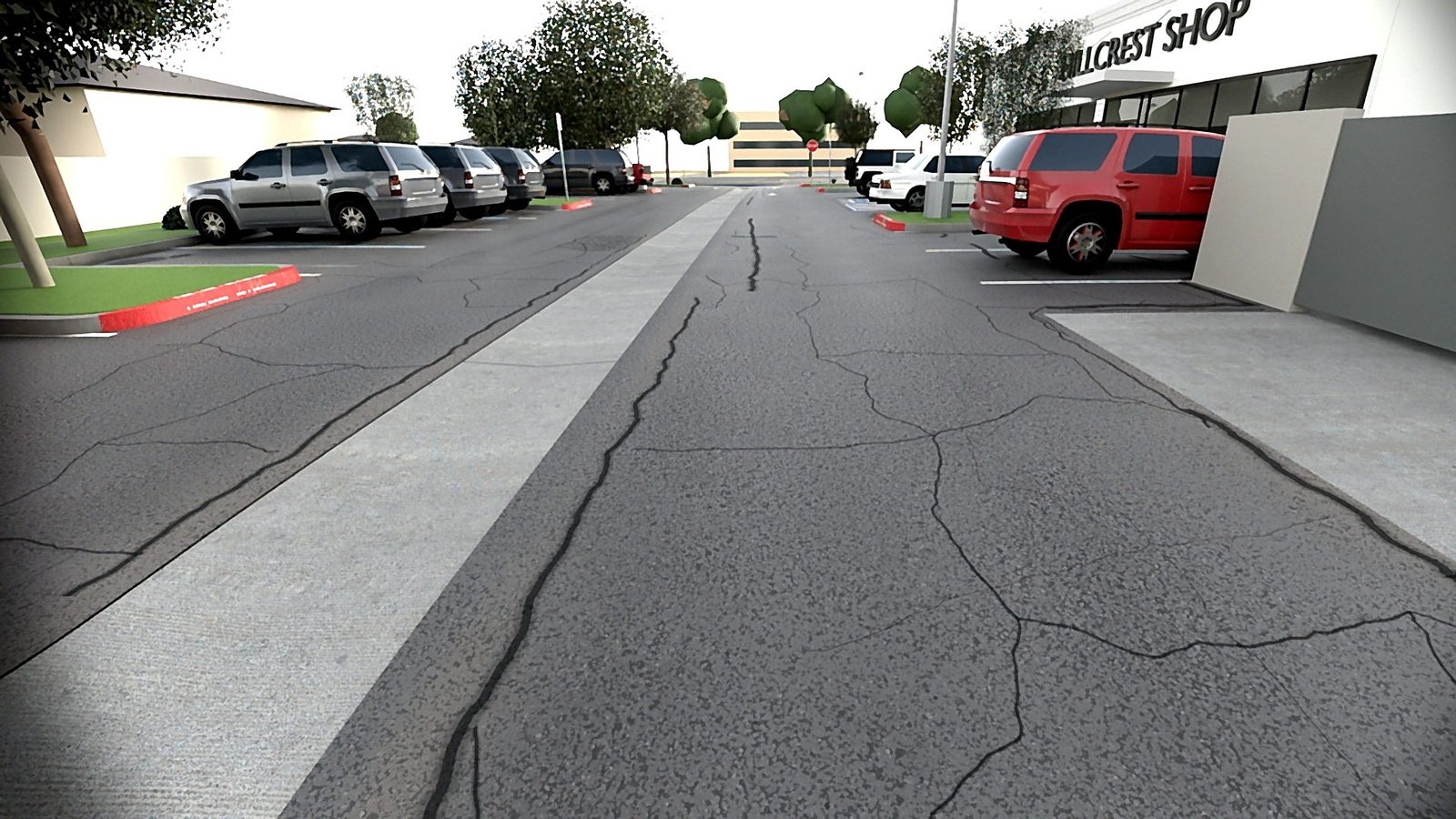
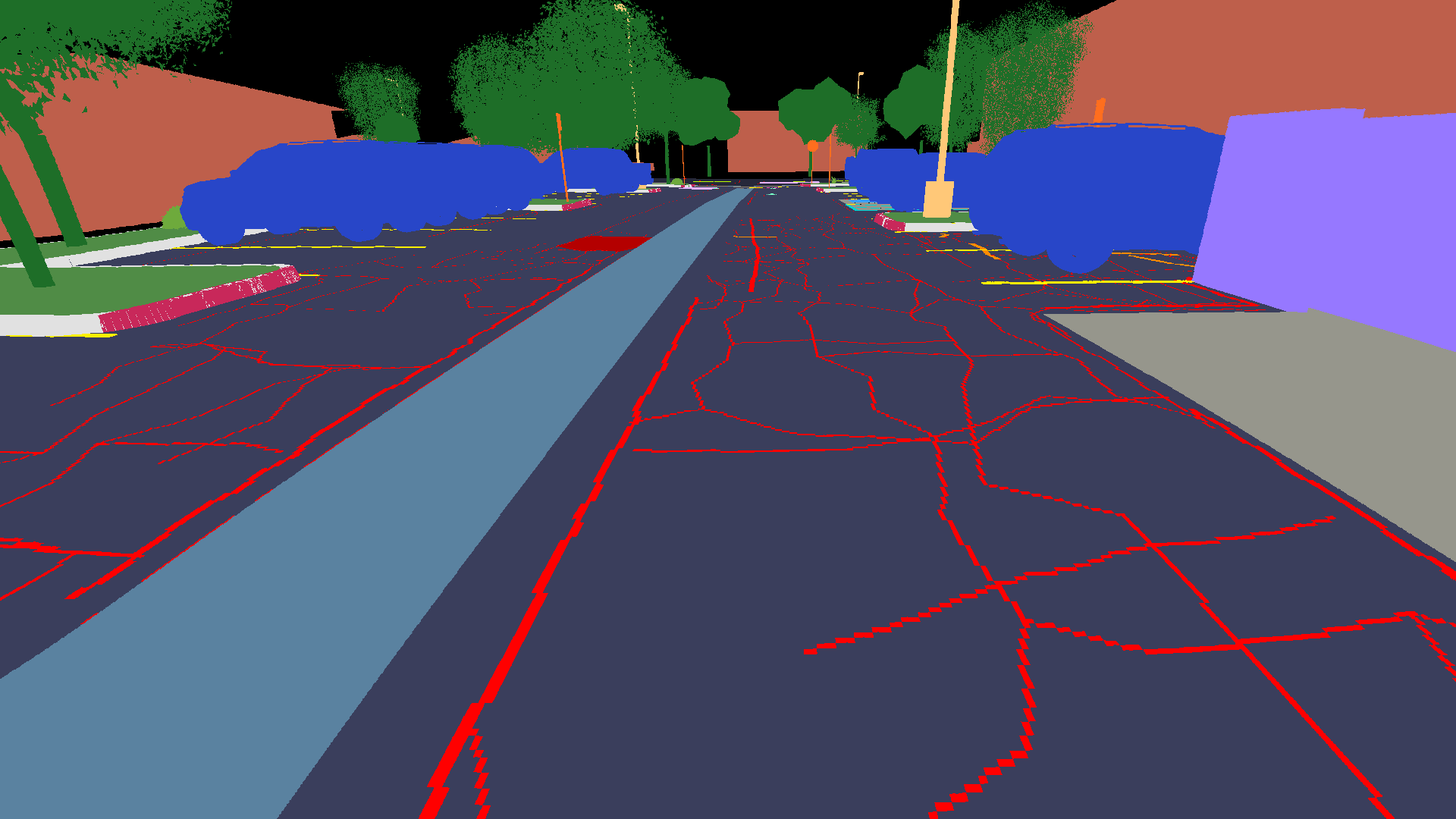
A heavily aged lot by a storefront. The cracks come from the lot’s aging map and show in the mask as red lines. Lot 73190: a small side lot, designed as if built in 1988.
The cars are the “Generic passenger car pack” by Comrade1280, licensed under CC BY 4.0. GeoSynth split them into single cars, rescaled and repainted them.
A handheld lidar and camera rig
The scanner rig, v5
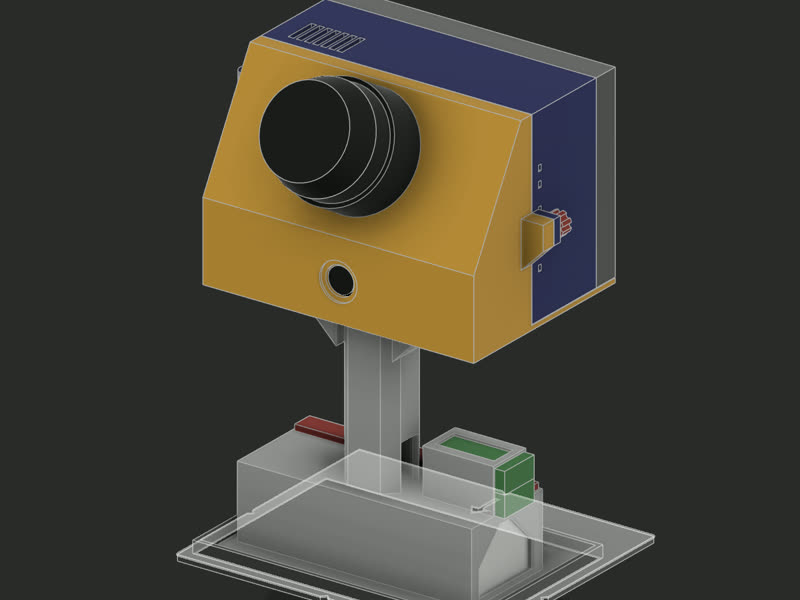
Handheld and drill-style, with the battery under the grip as its stand. Built only from parts already on hand: a Unitree L2 4D lidar with its own IMU, a Jetson Orin Nano Super (8 GB), an ELP global-shutter camera (AR0234, 110°), a 5-inch touchscreen and a 20,000 mAh, 140 W battery. Nine parts printed in black PETG on a Creality K2; about 1.8 kg with the battery.
The CAD is Fusion 360 driven by scripts: the scripts are the design, and v5 rebuilds from them exactly (63 of 63 checks, the print files byte-identical).
On the Jetson: JetPack 7 (Ubuntu 24.04), ROS 2 Jazzy, Unitree's L2 driver, FAST-LIO tuned for the L2 (a denser config, a 2 s still start, a zero-velocity update), the camera driver, and a full-screen kiosk: START, RECORD, STOP, a live 10 cm voxel map and a GNSS status strip. It records ROS 2 bags at about 13.6 MB/s with the camera at 1080p, logs RTK fixes into each capture, and is driven and deployed from the desktop over SSH.
| Date | Version |
|---|---|
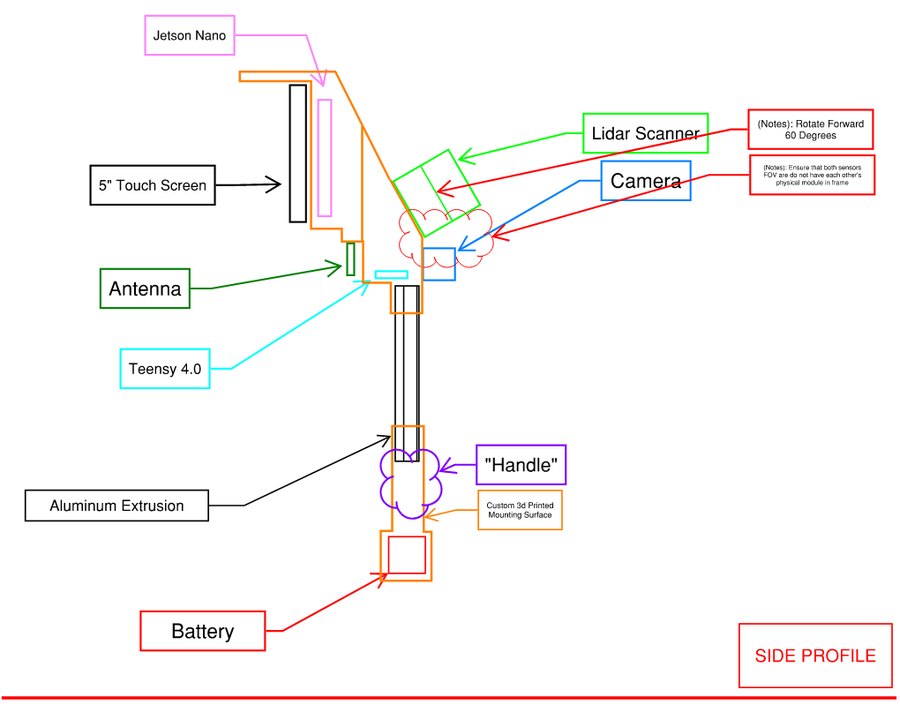
| Jun 2026 | Concept: aluminum rail, a Teensy for sync, the lidar tilted forward 60° |
| to 09-21 | v2 on a 2020 rail, then a clean-room rebuild |
| 09-22 – 09-25 | v4: a one-piece sensor module; printed |
| 10-04 | v5 draft: all PETG, handle and battery separable from the head |
| 10-11 – 10-16 | v5 on-hand build: no rail, no Teensy (software sync); printed and assembled |
| 10-16 | A printed capture dock to start and end every walk at the same spot |
| 10-25 | The RTK rover on the rig (zip-tied; a printed mount is next) |
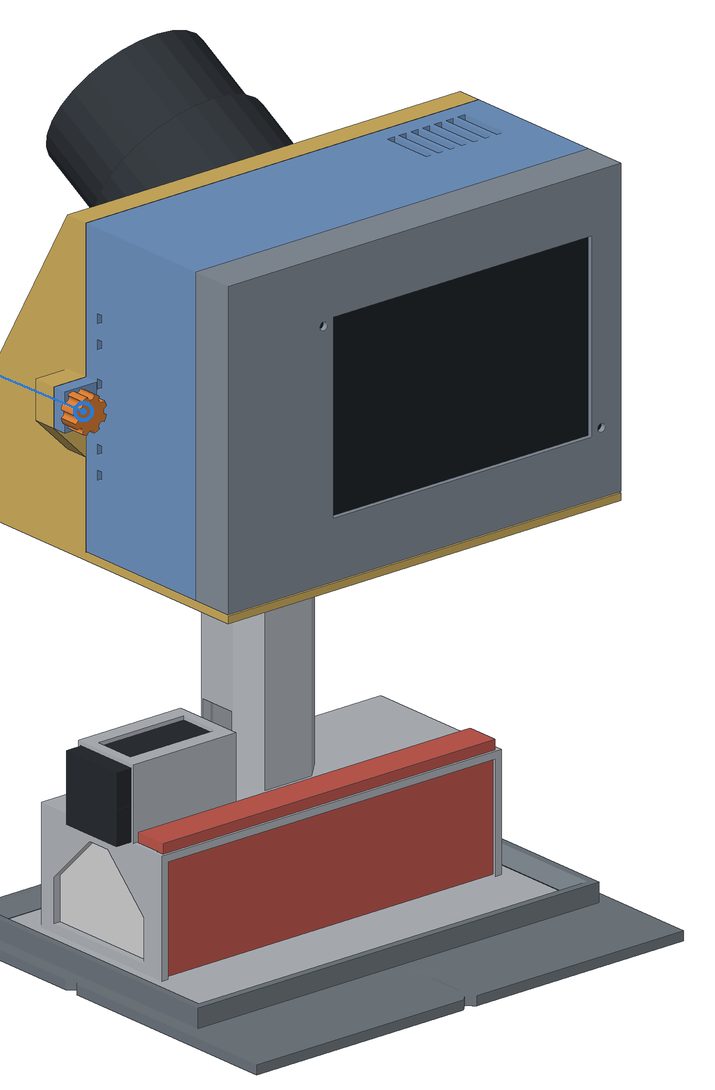
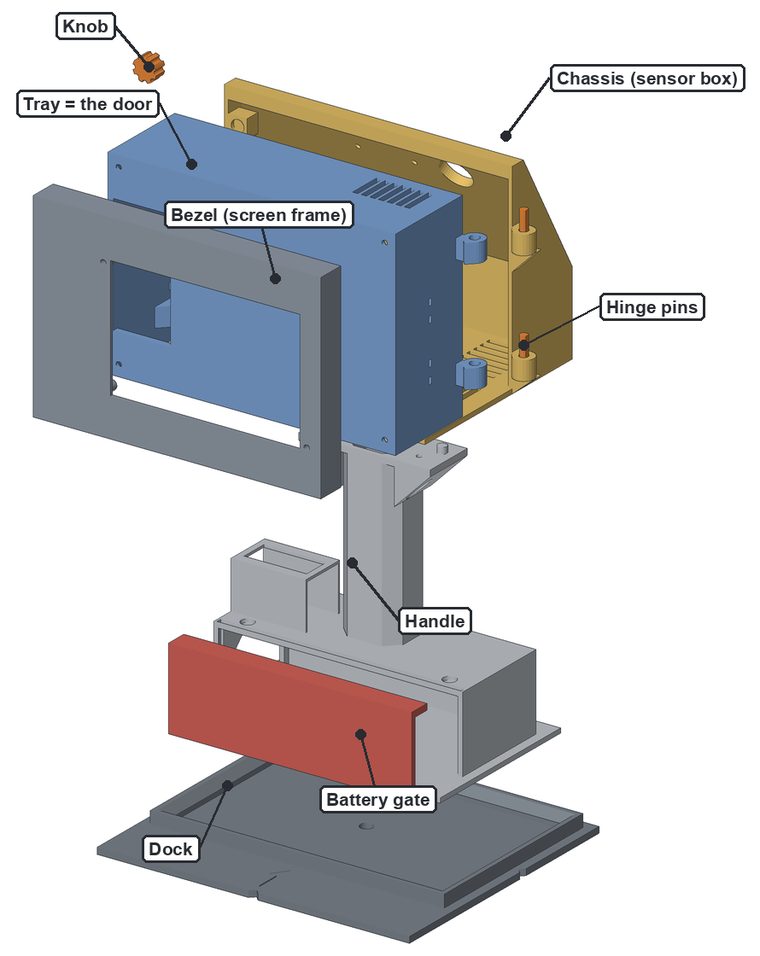
Turn it, zoom in, look inside
Scanner v5 as designed: the nine printed parts from the CAD, with simple stand-ins for the bought parts (lidar, computer, camera, screen, battery) placed where the design puts them. Drag to turn it, right-drag or use two fingers to move it, scroll or pinch to zoom, and tap a part to name it.
From a sketch to v5
Seven versions in five months, each changed for a reason the last one taught. From v2 on, the design is Python scripts that build it in Fusion 360, so every version can be rebuilt exactly. The RTK pods’ own versions are below.
-
May – Jun 2026
Parts on a bench
No enclosure yet: a Jetson Orin Nano, a Unitree L2 lidar with its own IMU, a global-shutter camera, a 140 W power bank and a 5-inch touchscreen, running ROS 2, FAST-LIO and a kiosk that records each walk.
What changed: the lidar moved from USB-serial to Ethernet, after serial dropped frames whenever the power dipped; an external IMU was dropped, since the L2’s own is already in step with its points.
-
Jun 2026
The concept sketch
The lidar tilted forward 60° to see the ground ahead, the camera below it, the Jetson and screen behind, a handle on an aluminum extrusion and the battery at the bottom. One rule: neither sensor may see the other.
-
Summer 2026
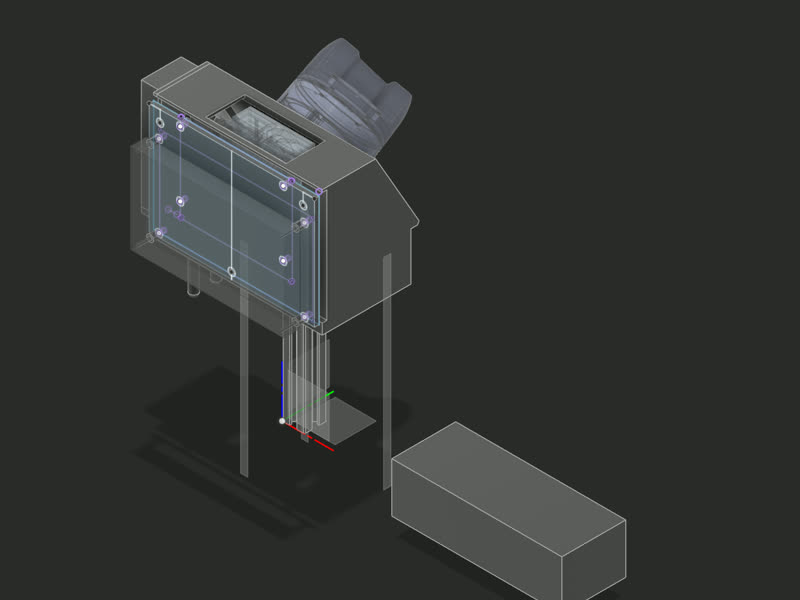
The first shells, v40 and v41
A printed shroud on a 150 mm rail, modeled by hand: the lidar on a 60° face, the camera below, the Jetson and screen back to back, the battery in a shoe under the rail.
Why it was replaced: both sensors hung off a printed box with a screen cut-out in the load path, so any flex would move the camera against the lidar and smear the color. The model had no parameters or joints, so a rebuild was cheaper than a repair.
-
Sep 19 – 21, 2026
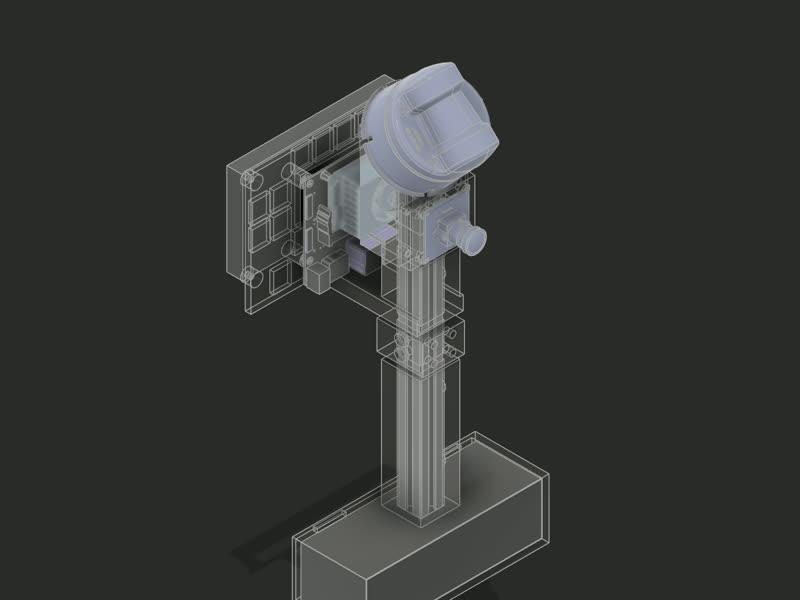
v2 and v3: rebuilt in code, on a rail
A new design built only by scripts, with a 250 mm aluminum rail as the datum: the lidar and camera on one rigid member, the battery under the rail. Placing the makers’ own 3D models found clashes the part checks had missed, such as the rail arm passing through the Jetson’s board. v3 then rebuilt it into an empty document from the scripts alone, every part matching its reference volume exactly.
-
Sep 22 – 25, 2026
v4: one printed module
One shroud around a rail sleeve instead of four parts, the lidar back at 60° to see the ground from about 0.7 m ahead.
What printing it taught: the layout worked, but the Jetson’s ports sat about 80 mm down inside the module, hard to plug, and the fastener sizes needed fixing.
-
Oct 4 – 16, 2026
v5: built like a cordless drill
No rail. The handle and battery are one unit under the head, and it stands on the battery when set down. The tray is the door, with the Jetson turned so its ports face a plug bay. Remade from parts already on hand and assembled by 10-14: nine printed parts, about 585 g as printed. “Everything fits into place and works well.”
Proof it can be rebuilt: on a second machine the scripts rebuilt v5 with 63 of 63 checks the same and all nine print files byte-identical (E-055).
-
Oct 16 – 26, 2026
The dock, then RTK on the rig
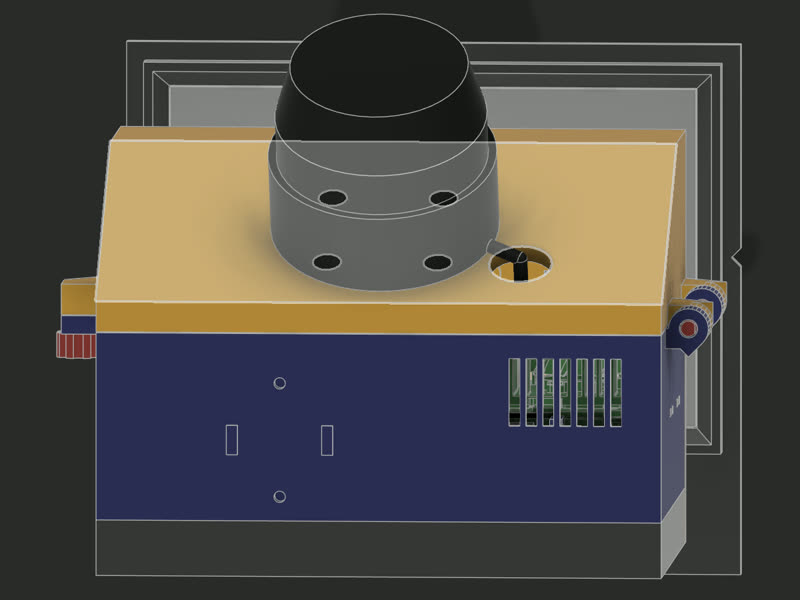
A flat printed dock marks every capture: start still in it, walk, return to it, so any drift shows between the two still moments. The RTK rover was zip-tied to the tray for the first fixed captures on 10-25; the next day the tray was redrawn with the rover’s mount built in.
The assembly guide, page by page
Fifteen pages drawn from the same model, so every insert, magnet, screw and cable is where the design puts it. Open a page to see it full size, or download the whole guide (PDF, 2.2 MB).
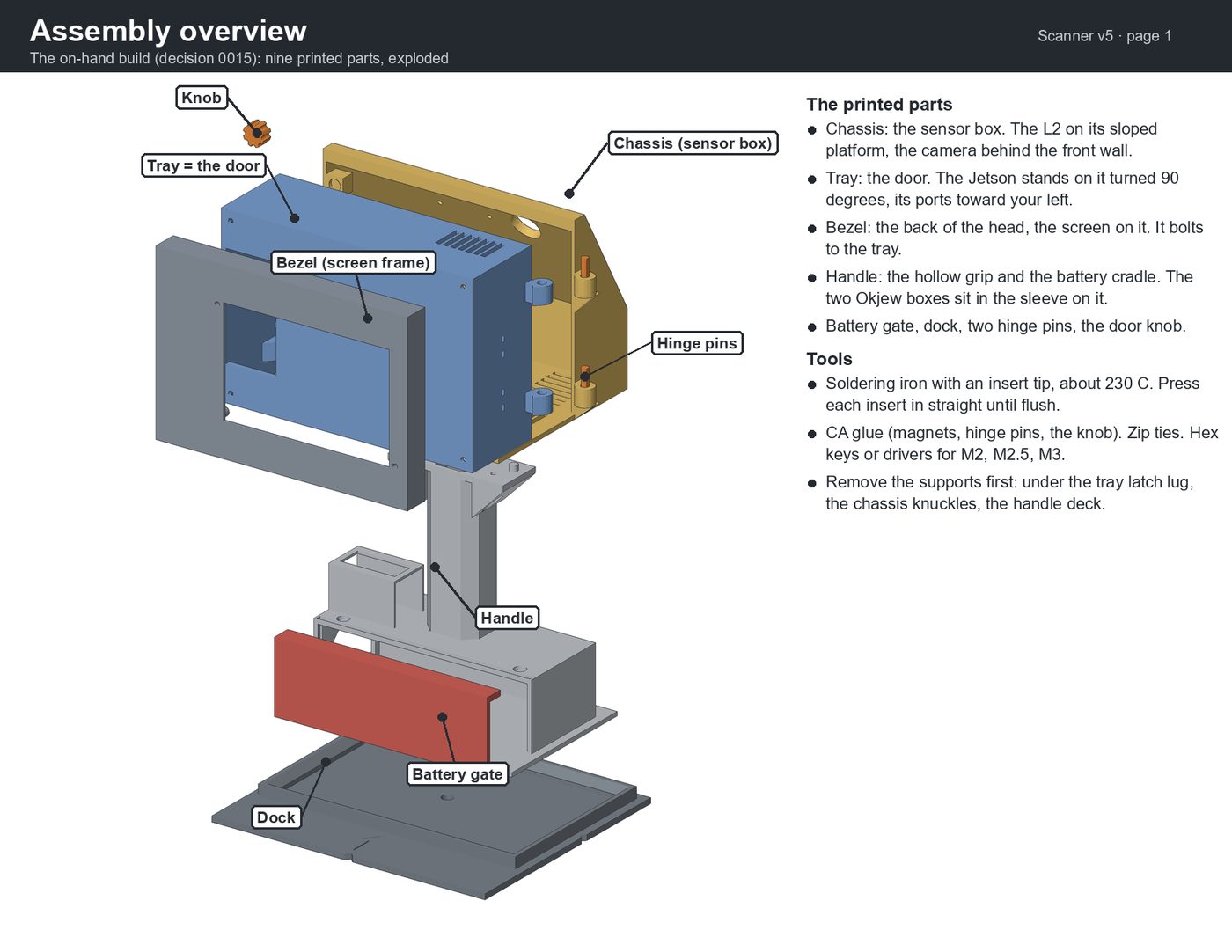 1. Overview
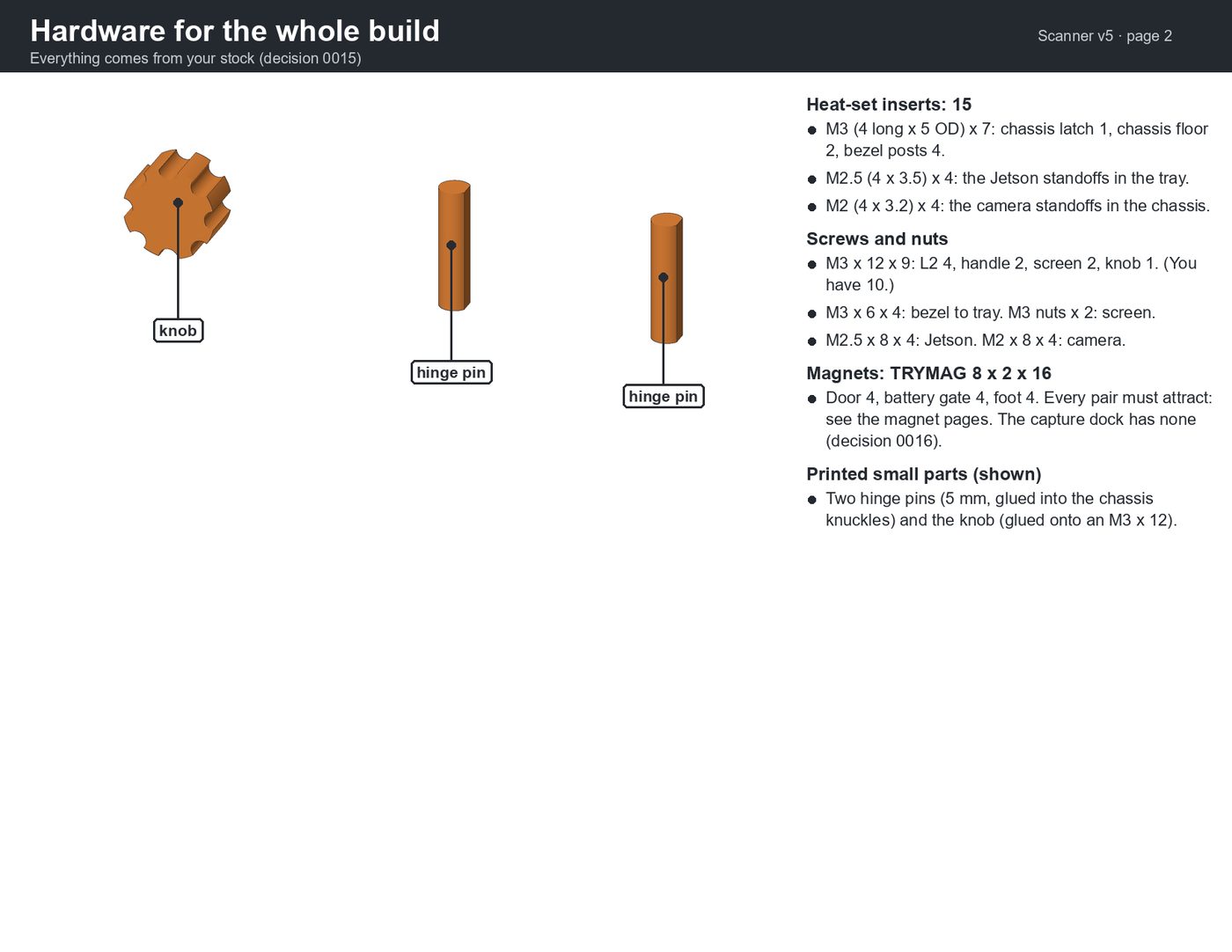 2. Hardware
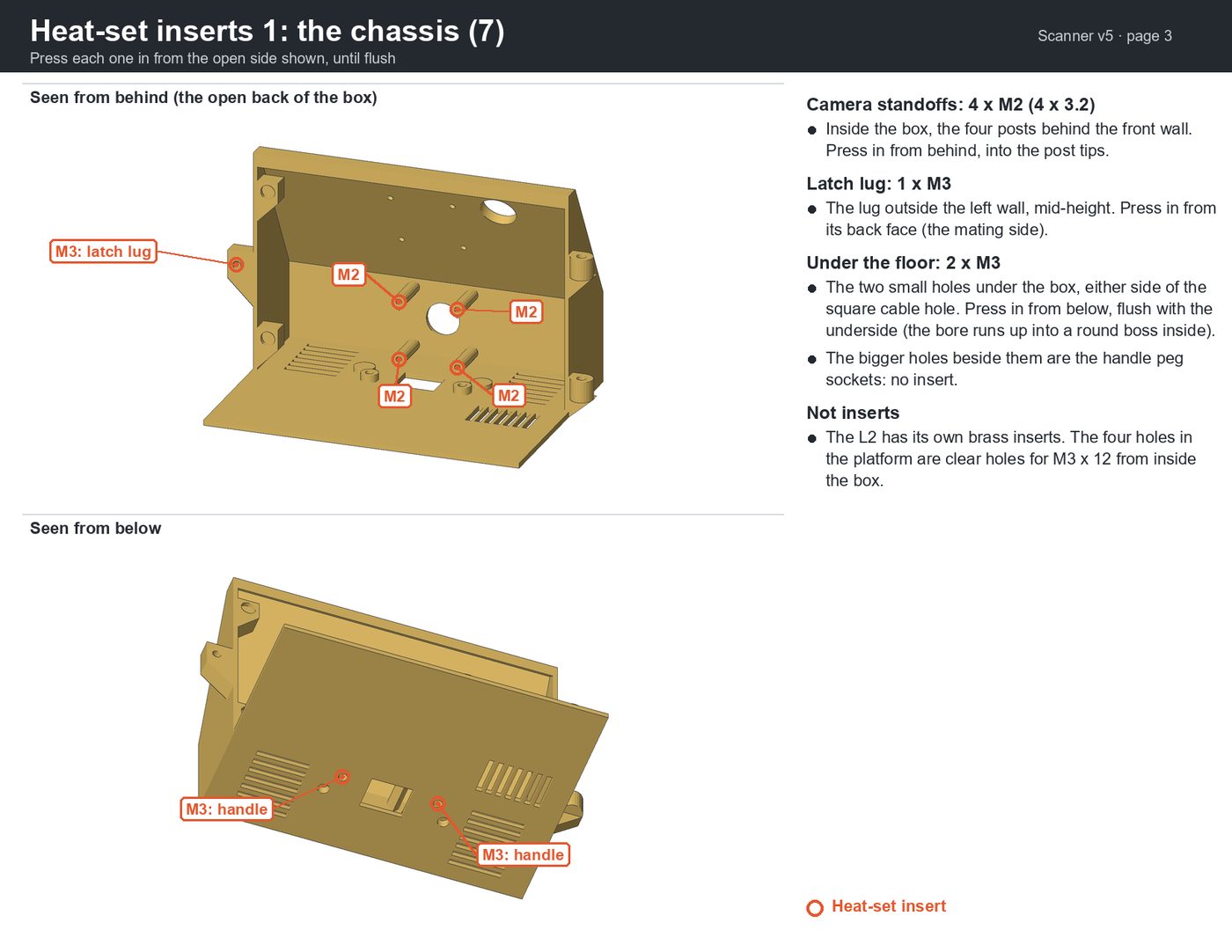 3. Heat-set inserts: the chassis
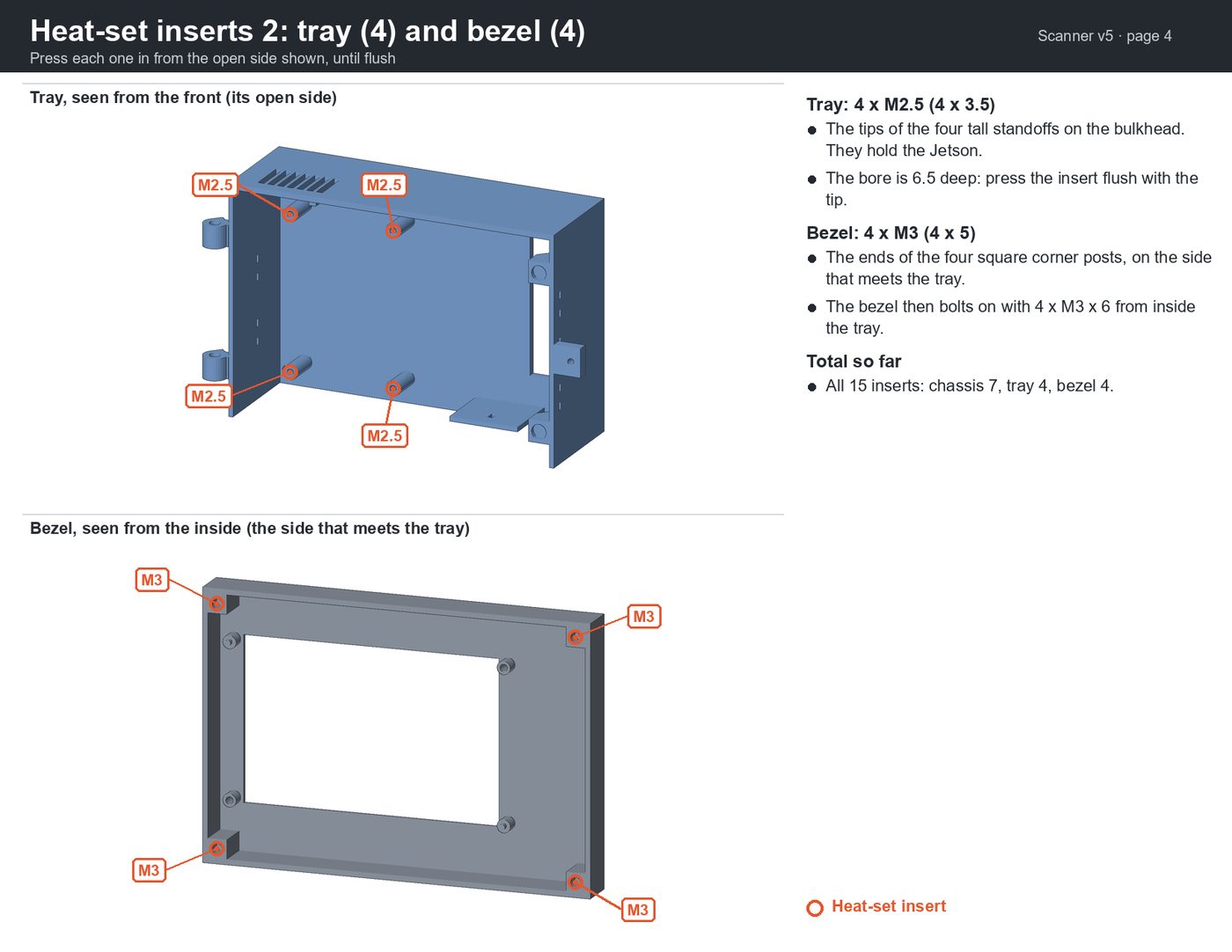 4. Heat-set inserts: tray and bezel
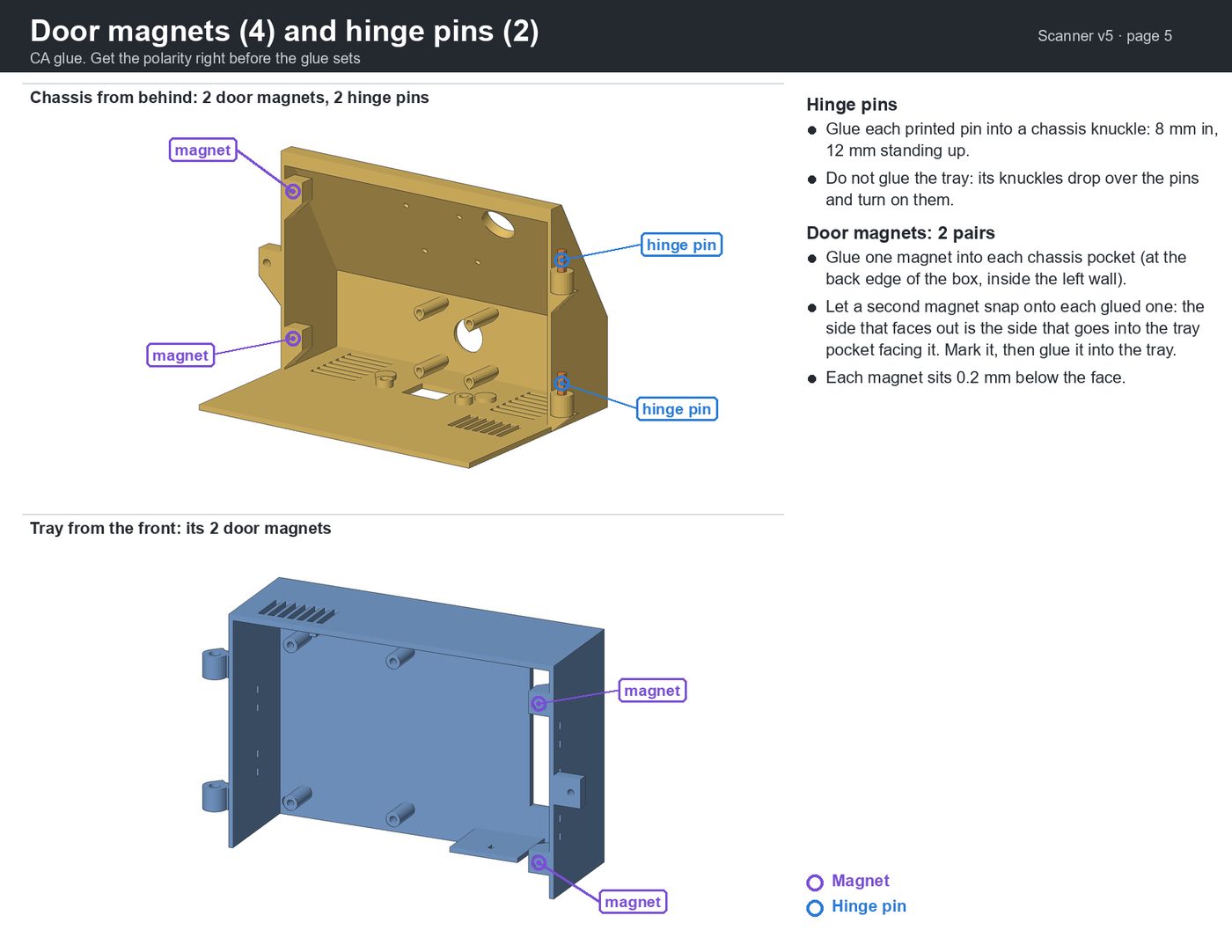 5. Door magnets and hinge pins
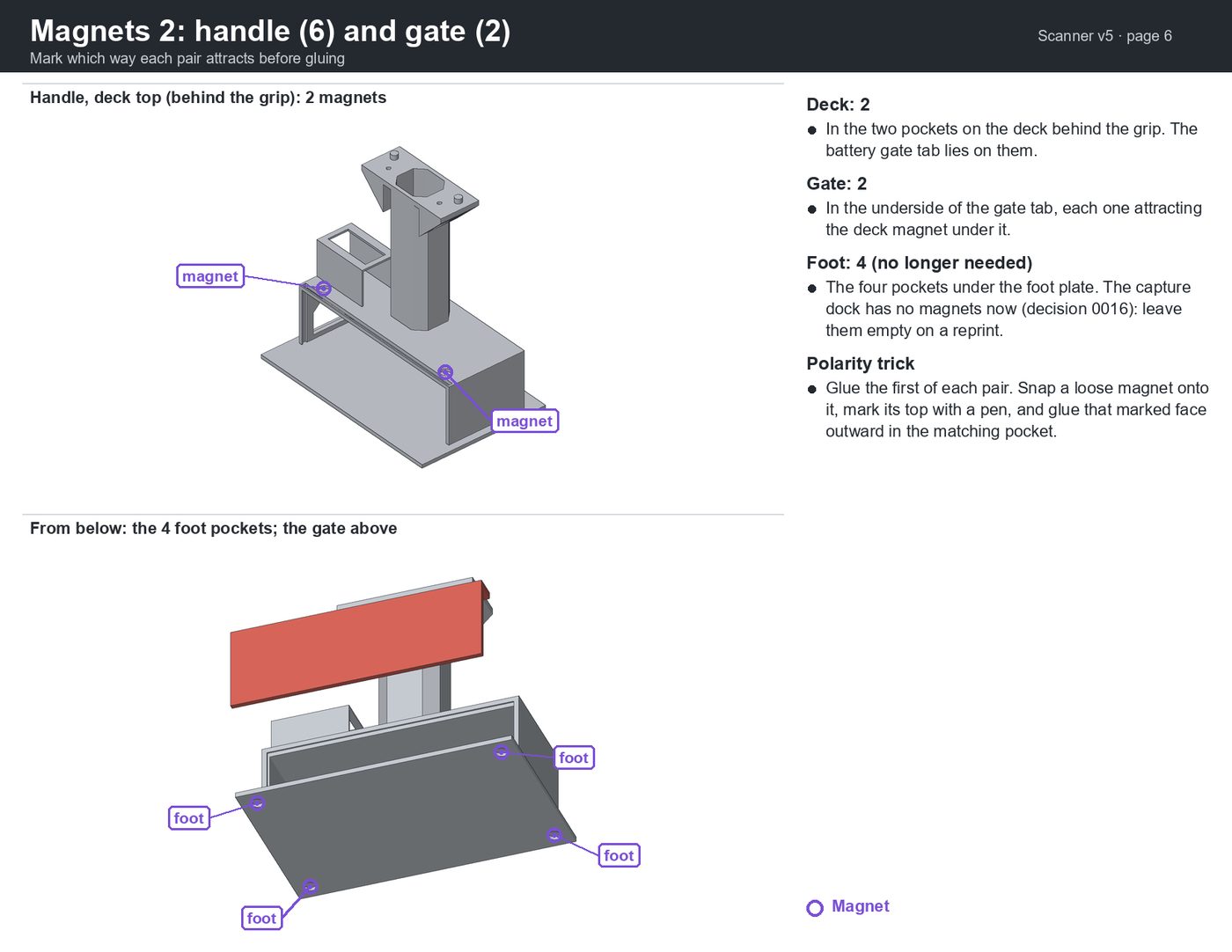 6. Magnets: handle and gate
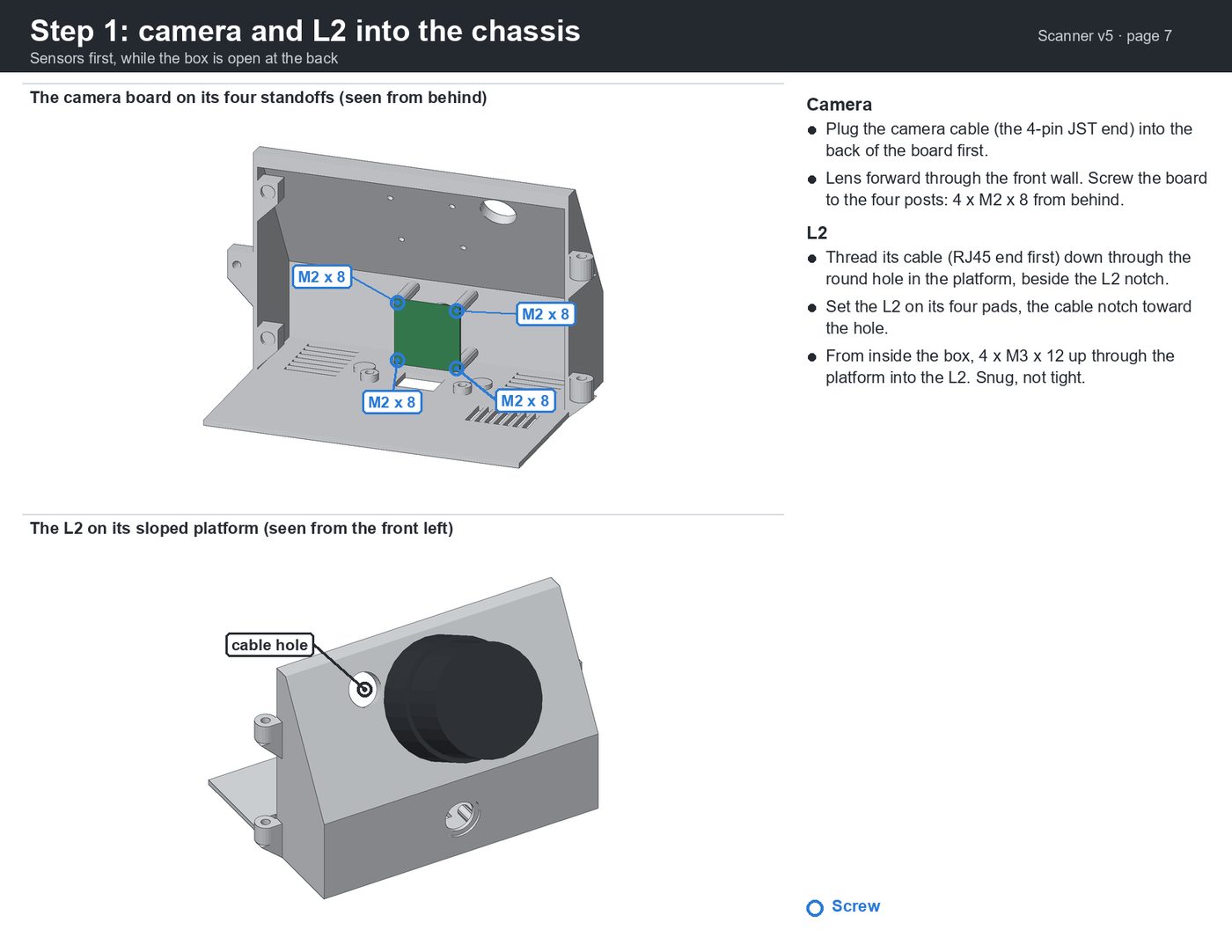 7. Step 1: camera and lidar
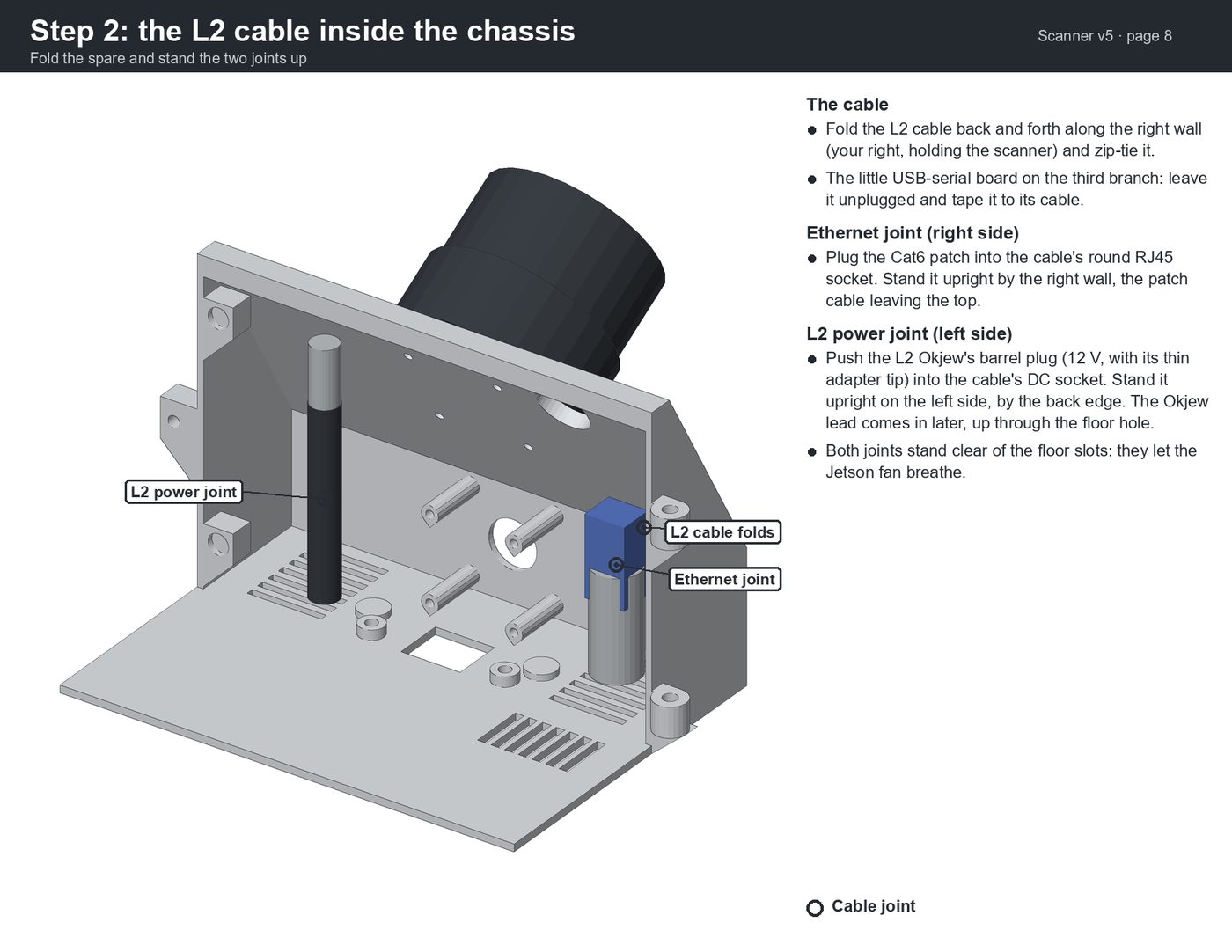 8. Step 2: the lidar cable
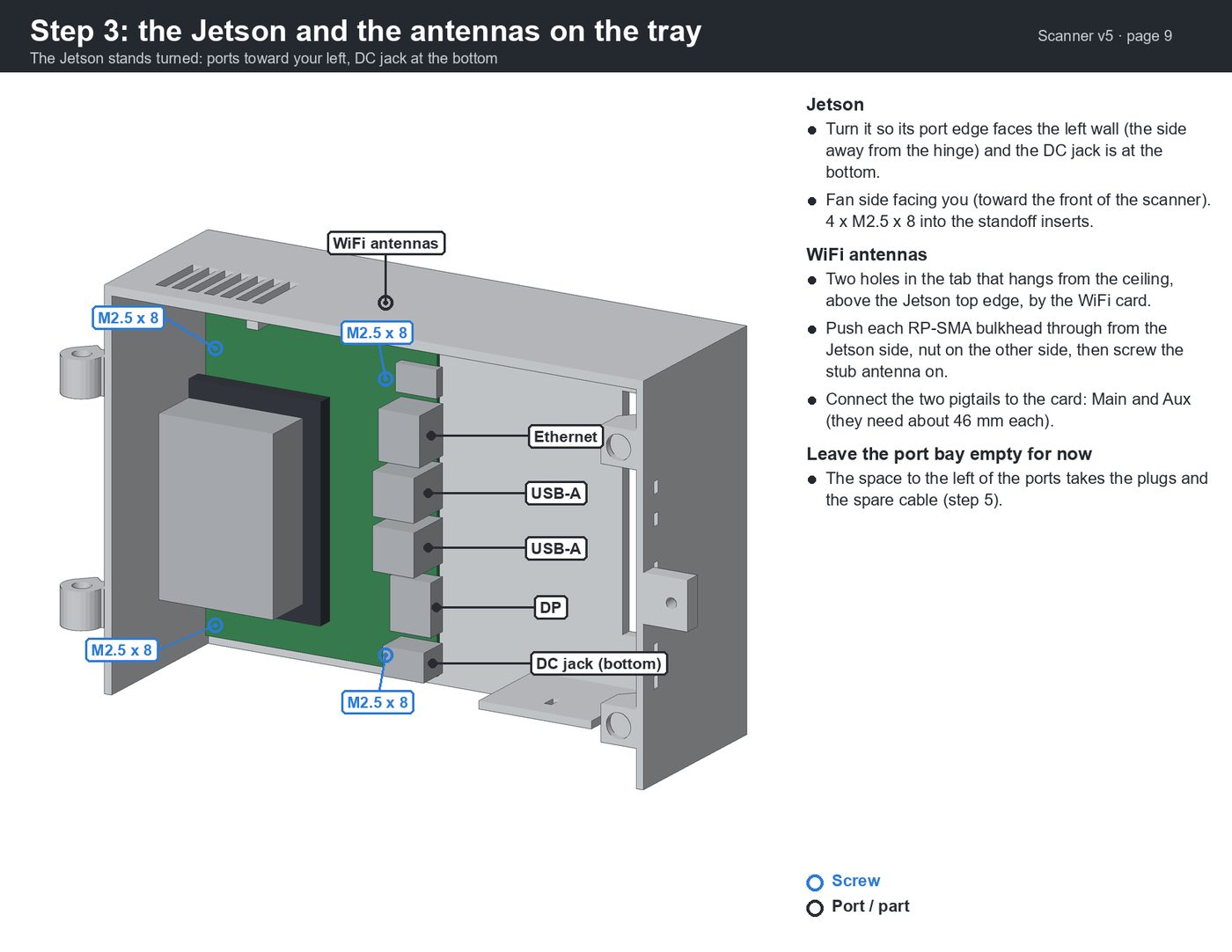 9. Step 3: the Jetson and antennas
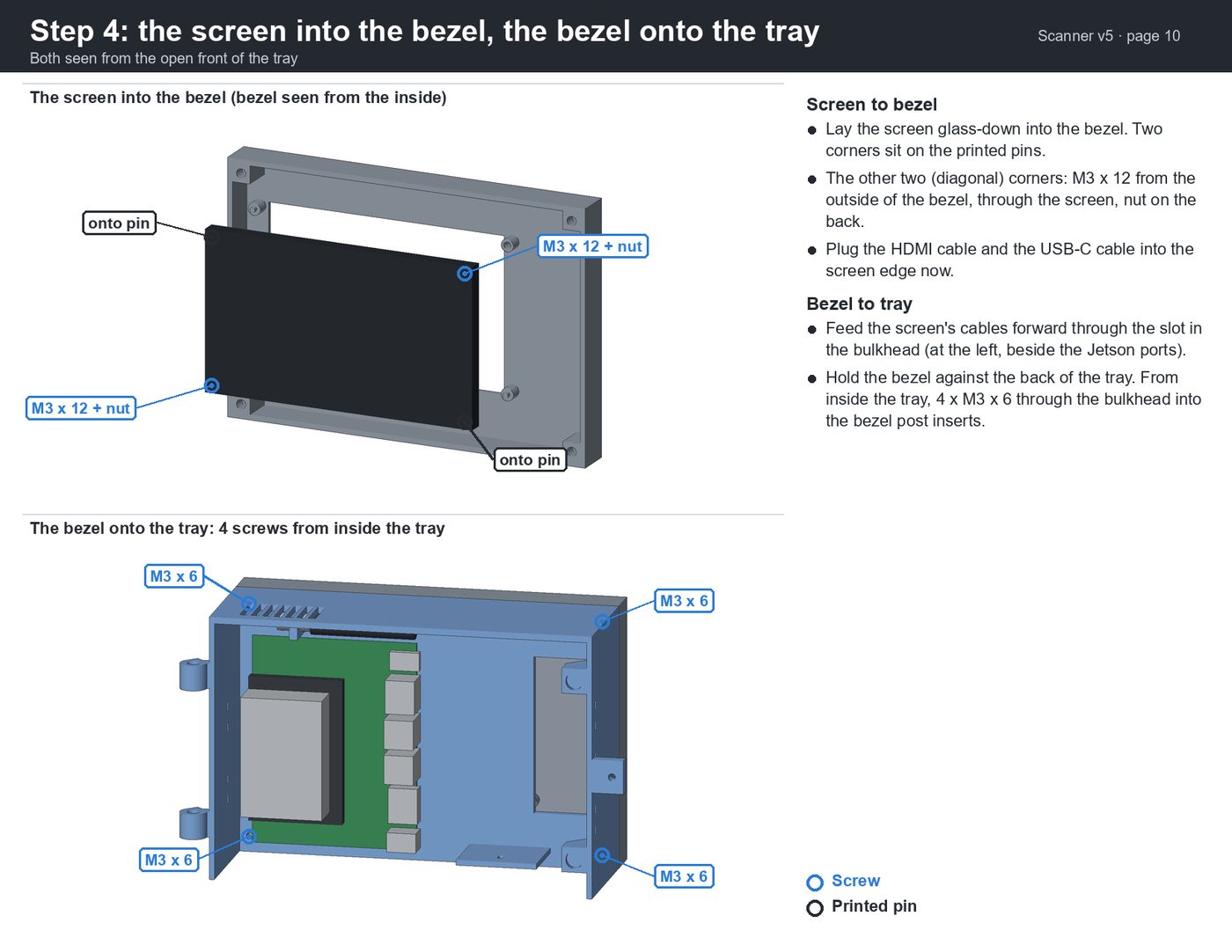 10. Step 4: the screen and bezel
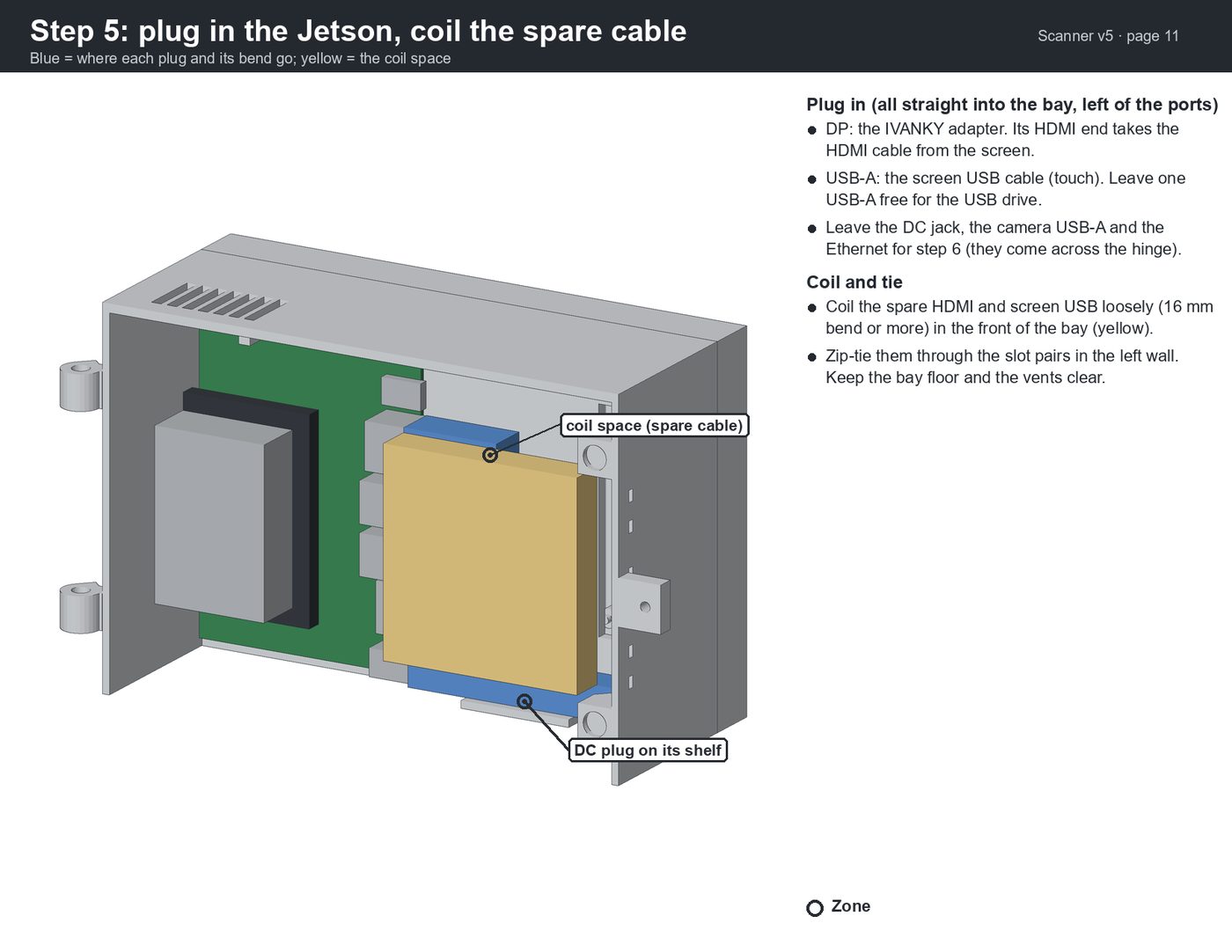 11. Step 5: plug in the Jetson
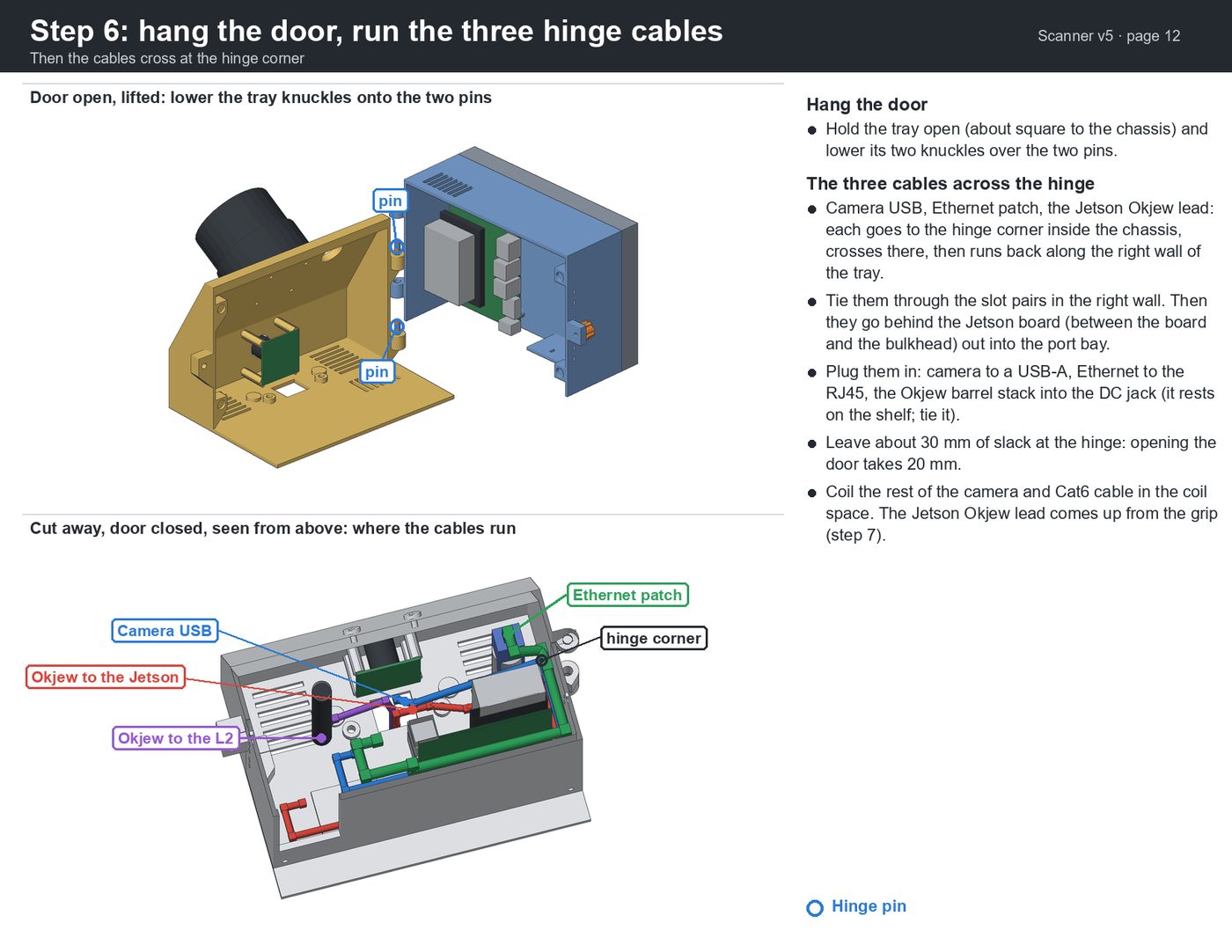 12. Step 6: hang the door
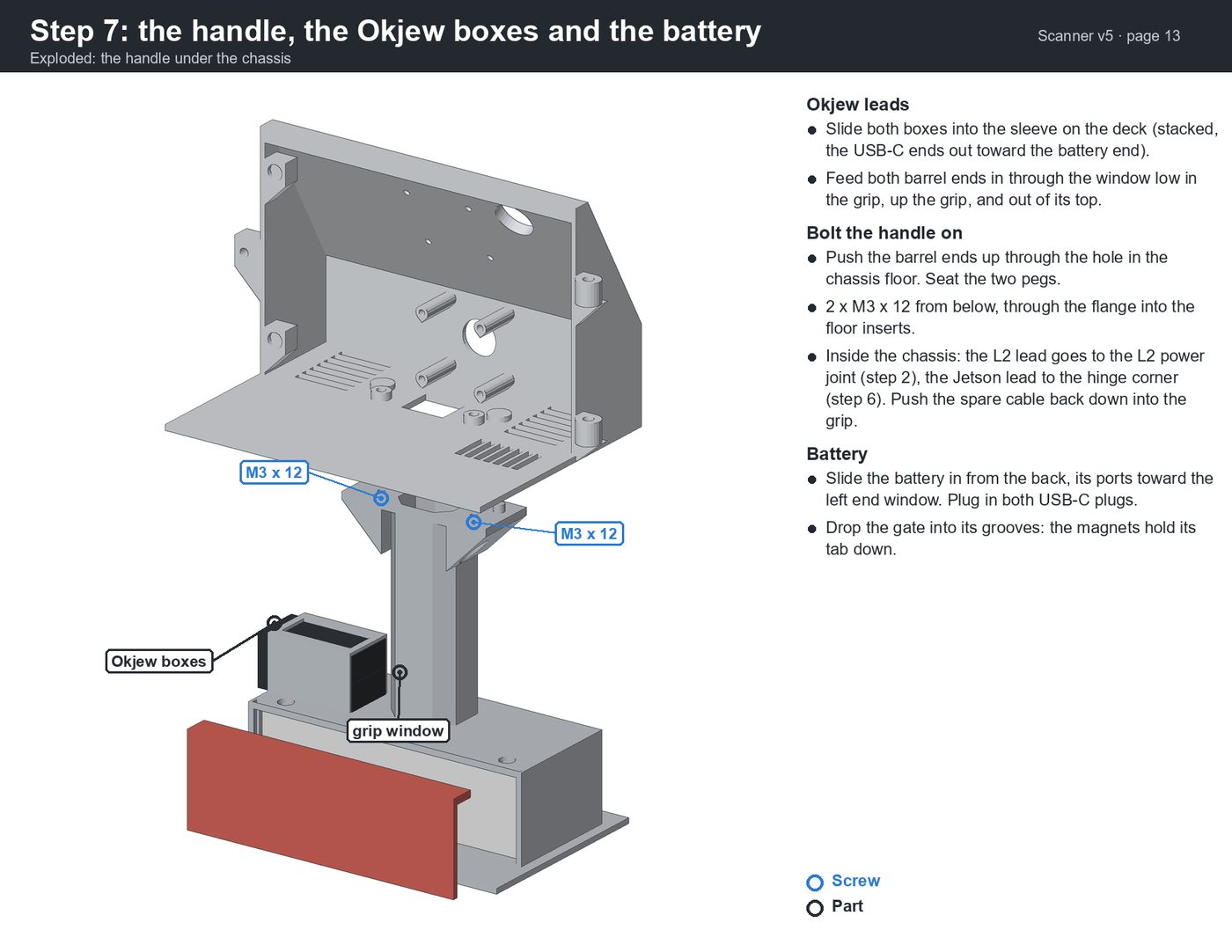 13. Step 7: handle and battery
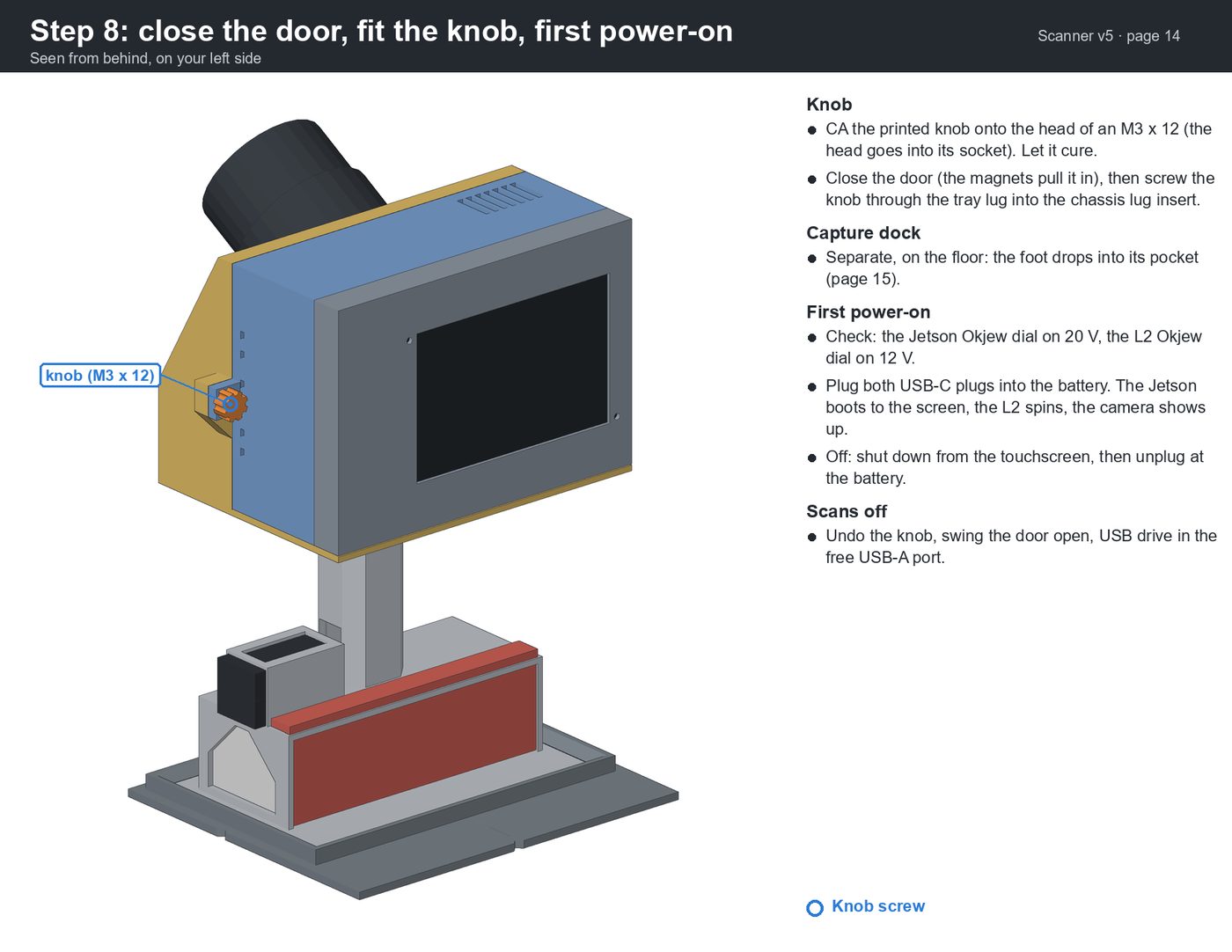 14. Step 8: close it and power on
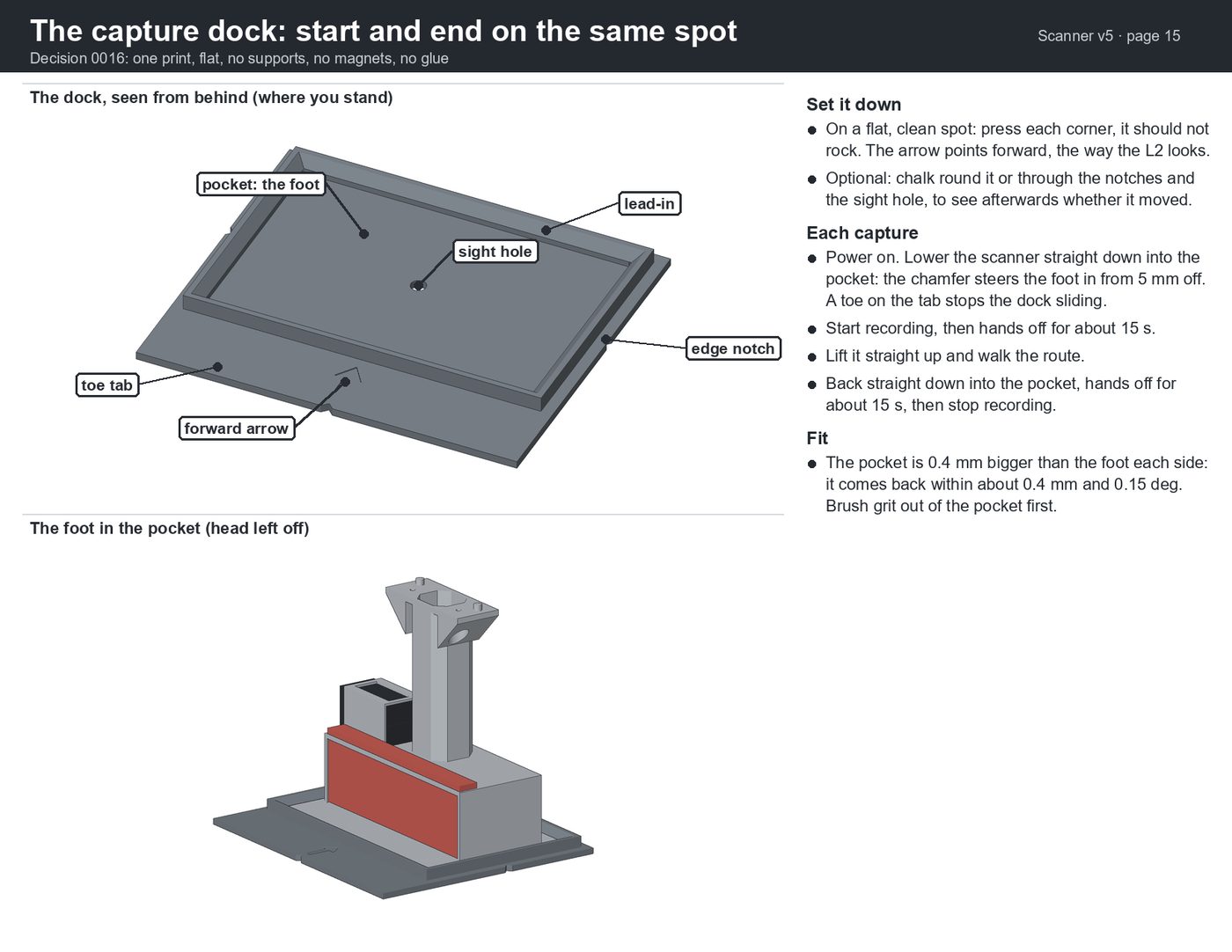 15. The capture dock
Centimeter positions from a base and a rover
The RTK pods
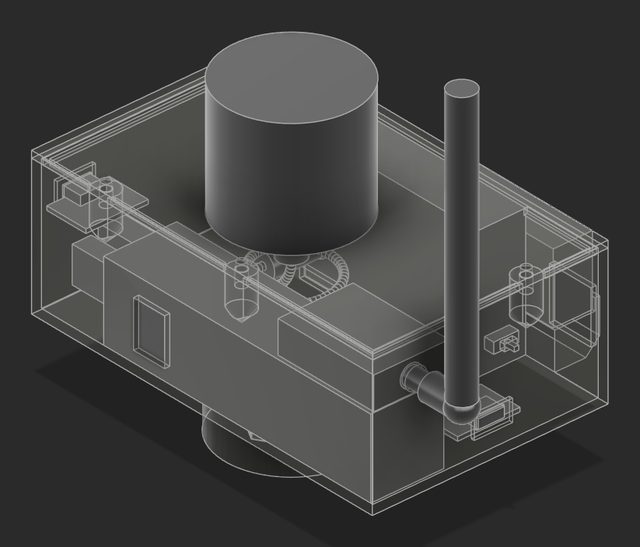
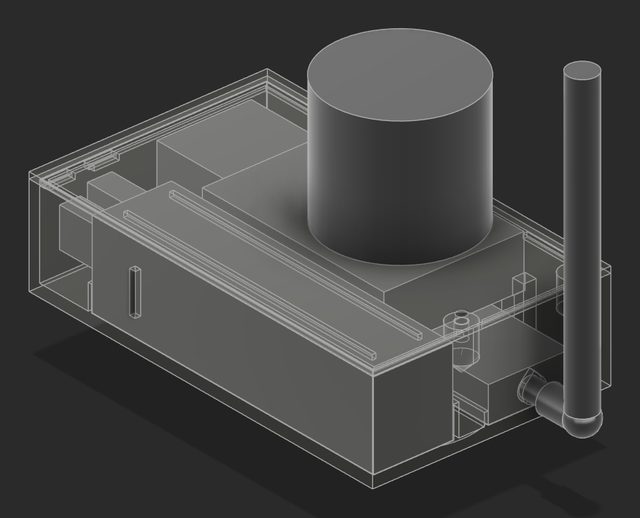
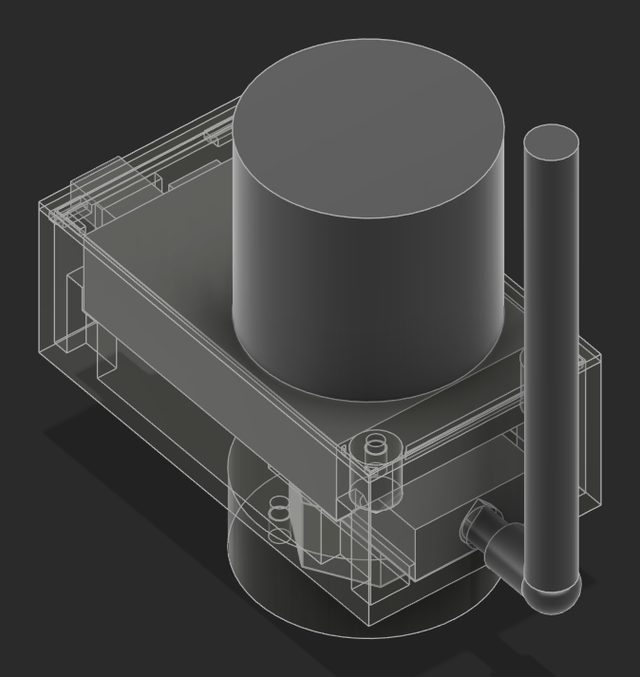
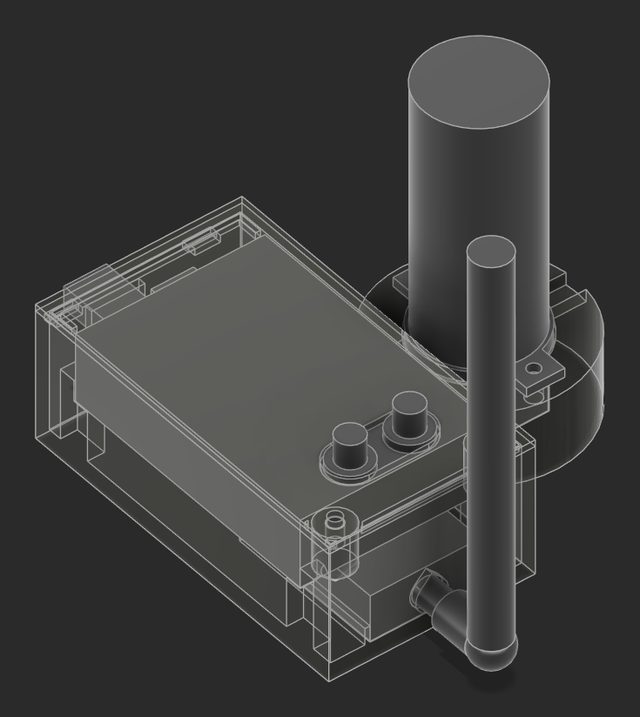
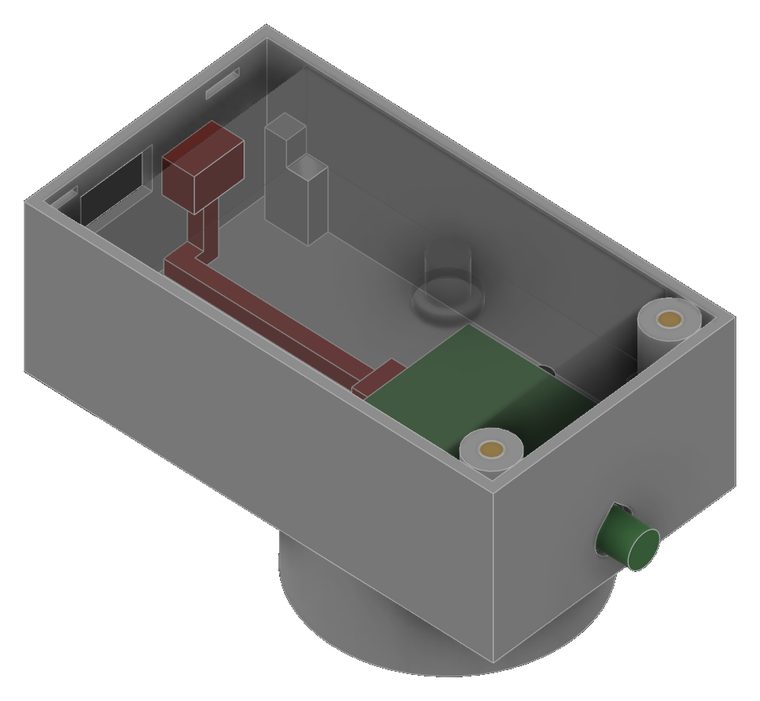
A base and a rover for centimeter-grade positions, so the SLAM path can be pinned to the ground. The base is a Unicore UM982 with a helical antenna on a tripod; the rover is a UM980 with its puck screwed straight on, riding the rig. A pair of 915 MHz LoRa radios broadcasts the base's RTCM corrections (GPS, Galileo and BeiDou observations every second).
Pod v3 is plug-and-play: each receiver is powered and read over its own USB-C (the Jetson on the rig, a power bank on the tripod), and the radio runs from the receiver's 8-pin over one pre-crimped link. No soldering, no stripping.
The kiosk logs every fix into the capture; Process fits the walk to them, finding the clock offset and heading. The first fix on the rig, on 10-25, read horizontal sigmas of 1.0–1.4 cm and vertical 2.7–3.6 cm.
| Date | Version | Why it changed |
|---|---|---|
| 10-18 | Receivers bench-checked | First data off both |
| 10-22 | v1 draft: receiver on edge, bank inside, a jumper to the puck | From measured parts |
| 10-24 | v2: the puck screws onto the UM980, one flat body 35–40% smaller, no supports | The jumper's threads could not join puck and receiver |
| 10-24 | v3: no power wiring inside, 86.8 × 48.5 × 32.8 mm, 44% of v2's footprint | 28–30 AWG soldering was the hard part; the goal was under 20 min a pod |
| 10-25 | Base as one body on the tripod screw; RTK fixed on the rig | Simpler to set up |